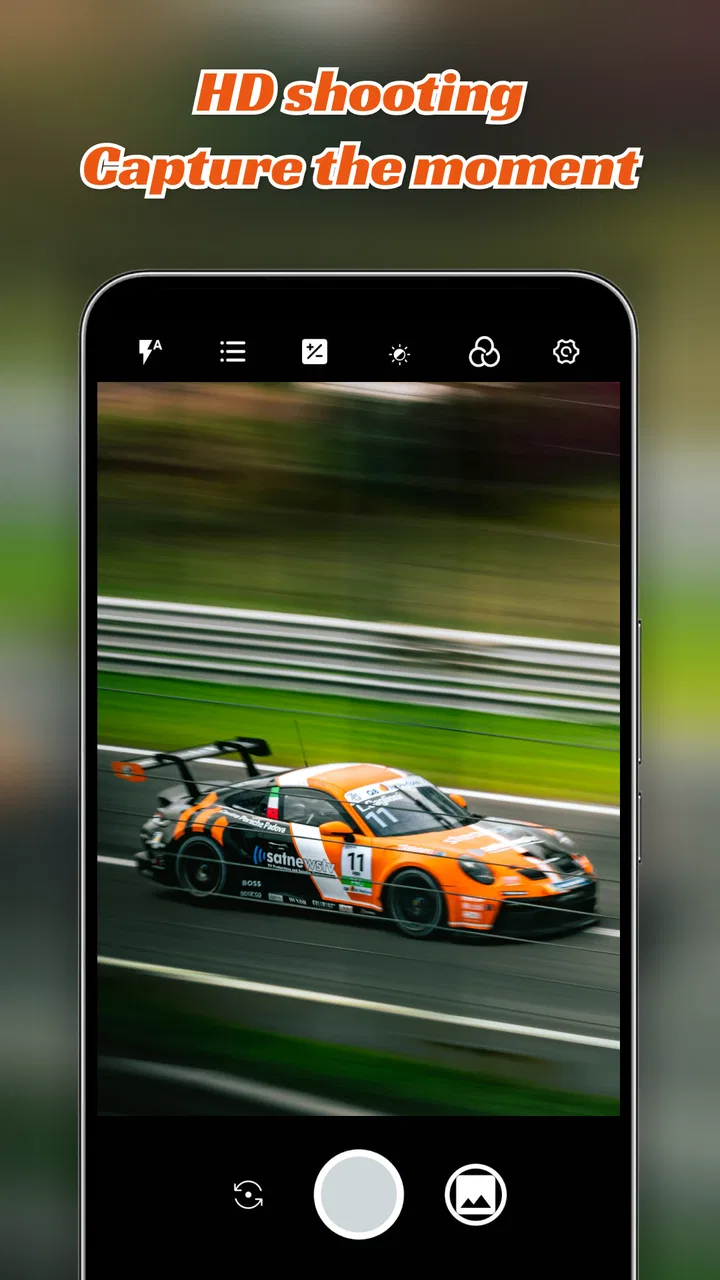
HD Camera
- 4.5
- Rating
- 10.00M
- Installs
- Free
- Price

 Analysis by App-foxy
I installed HD Camera from CALLERSHOW expecting a straightforward replacement for the camera already on my phone. That is exactly the right way to approach it: this is a free camera tool for Android, not a complete photo-management system or a serious editing suite. Its purpose is simple—open the camera, frame a moment, capture it, and move on. In daily use, that simplicity can be useful, especially when I want fewer distractions between seeing something interesting and taking the picture.
The app sits in the tools category and carries an Everyone age rating, so it is aimed at a broad audience. It has reached over ten million installs and holds a 4.5 average from around forty-five thousand ratings, which gives it a substantial user base. I would not treat those figures as a guarantee that it will suit every phone, but they do suggest that HD Camera has found an audience among people looking for a familiar, uncomplicated camera experience.
My overall impression is positive but measured. The app makes sense for quick everyday photography, casual snapshots, and users who want a separate camera interface without paying for it. It is less convincing for anyone who expects advanced manual controls, a full creative workflow, or the computational photography features found in some built-in camera apps. The important question is not whether it can take a photo; it is whether its particular workflow is more convenient for you than the camera you already have.
You May Also Like

 Blood Strike: 2.5 Anniversary
Blood Strike’s Loadouts Turn Every Drop Into a Tactical Gamble
A close look at Blood Strike’s custom loadouts: how fast access to signature weapons reshapes its battle royale rhythm, rewards preparation, and narrows the gap between fights.

 Pandora - Music & Podcasts
Pandora’s Music Is Easy to Start, but Harder to Recover
Pandora’s strength is its low-effort path from a seed to a station. Its weak spot is how much confidence it asks you to place in connection, setup, and quiet recovery.

 8 Ball Pool
 Is Built on Rivalries, Rematches, and Routine
A close look at the rivalries, rematches, shared routines, and unanswered safety questions that turn a quick pool match into a persistent mobile community.

 Samsung Music
’s Quiet Strength Is Playing What You Already Own
Its reach comes less from spectacle than from dependable access to a personal library. That simplicity is both the app’s strongest retention engine and its ceiling.

 AccuWeather: Weather Radar
AccuWeather Review: A Quick, Clear Forecast for Everyday Decisions
For everyday plans, the best forecast is the one you can understand quickly. AccuWeather makes rain timing, radar, and local conditions easy to act on, with a few trade-offs.

 Hill Climb Racing
Why Hill Climb Racing Still Turns Crashes Into One More Run
A tiny car, a bumpy hill and one more upgrade: Hill Climb Racing keeps resurfacing because its simple chaos makes every near-miss feel personal.
More From Our News Desk



From a missed moment to a saved photo
When I miss a moment, the useful question is how quickly I can get back to taking pictures without losing track of what I meant to capture. I’ll look at the small habits that make a simple camera workflow more dependable, especially when a phone is shared and someone else may need to find the saved photo afterward.
Starting with the situation that matters
The most realistic test is not a carefully arranged landscape or a studio portrait. It is the ordinary moment when I need a camera quickly: a document on a desk, a meal before it gets cold, a child doing something unexpectedly funny, or a product label I want to remember while shopping. In those situations, the first requirement is speed. A camera app that makes me search through menus has already failed part of the test, regardless of how good the final image might be.
HD Camera is best understood in that context. Its store summary focuses on capturing special moments, but the practical value is broader. I can use it as a simple capture tool when the default camera feels cluttered or when I prefer keeping a separate camera app available. The experience is familiar enough that I do not need to learn a complicated system before taking a picture.
That familiarity also reveals the app’s main trade-off. A basic camera interface lowers the learning curve, but it may not give me the same depth of control as a manufacturer’s camera application. On a phone whose built-in app already offers excellent focus handling, night photography, portrait effects, and camera switching, HD Camera may feel like an alternative interface rather than a major upgrade.
Opening the camera and preparing the frame
My first step is to open the app and decide what I am actually trying to capture. That sounds obvious, but it changes how I judge a camera. For a quick snapshot, I want the preview to be understandable and the capture action to feel immediate. For a document or a small object, I need to slow down, hold the phone steady, and check the edges of the frame before pressing the shutter.
This is where a simple camera can be more comfortable than a feature-heavy one. I am not tempted to spend time experimenting with filters or elaborate modes when the goal is merely to record information. For example, if I am comparing two appliance labels in a store, I can concentrate on making the text readable rather than navigating a creative menu.
The useful habit here is to pause for one second before capturing. I check whether the subject is actually in focus, whether a bright light is washing out the important area, and whether my fingers are covering part of the phone. A camera app cannot fix every framing mistake afterward. HD Camera works best when I treat it as a direct capture tool and make those small decisions before taking the shot.
Capturing the image instead of overworking it
Once the frame is ready, the workflow is deliberately uncomplicated. I take the picture, review the result, and decide whether it is good enough to keep. That last decision matters because a fast camera is only useful if the saved image serves its purpose. A casual memory can tolerate a little imperfection; a receipt, serial number, or handwritten note may need a second attempt.
I found this approach more useful than chasing the idea of “HD” as if the name alone guaranteed better results. Image quality depends on the phone’s camera hardware, light, focus, and the way the application handles the capture. In bright, ordinary conditions, a simple camera can produce perfectly serviceable results. In difficult lighting, the built-in camera may have an advantage because phone manufacturers often tune their software closely to the device’s sensors.
My practical tip is to take two images when the subject cannot be recreated. The first is the natural shot. The second is a safety shot with a steadier grip or slightly different framing. This is especially worthwhile for documents and moving subjects. It adds only a moment to the workflow and is more dependable than assuming the first image is automatically usable.
Checking the outcome before handing it off
The next stage is the handoff: the photo leaves the camera screen and becomes something I use elsewhere. I may inspect it in the phone’s gallery, send it to a contact, attach it to a message, or keep it as a visual reminder. This is where a camera app should get out of the way. I do not want the capture step to become a separate project.
For a simple personal workflow, that handoff is clear. I capture an image, open the usual place where my phone stores photos, and continue with the application I normally use for sharing or organizing. HD Camera is not the place I would choose to sort a large library or build an elaborate album system. Its role ends much earlier, at the point where the image has been created.
That separation can be a strength. Keeping capture and organization conceptually separate makes the app easy to understand. It can also be a weakness if I expect one installation to cover shooting, editing, backup, printing, scanning, and cataloging. Users who want all of those steps in one polished environment will probably be happier with their phone’s full camera ecosystem or a dedicated photography application.
Everyday workflow: photographing a document
One of my more useful tests is a document that I need to consult later. I place it on a flat surface, avoid casting a shadow across the text, hold the phone parallel to the page, and take a preview shot. If the corners are cut off or the text looks soft, I move closer or adjust the angle rather than relying on a later crop to rescue it.
After capturing, I inspect the image at a larger size. This is the step many people skip, and it is where a basic camera workflow can quietly fail. A picture may look fine in the small preview but become unreadable when I zoom in. If the document is important, I take another image with more even light and a steadier grip.
The handoff is then simple: I use the saved photo as a reference or send it through the messaging or storage tool I already trust. HD Camera is useful here because it does not force me to turn a quick record into a full editing session. However, if I need automatic edge detection, searchable text, multipage PDF output, or receipt organization, I would choose a scanning app instead. That is a clear case where a different tool is better suited to the job.
Everyday workflow: capturing a personal moment
For a personal moment, the priorities change. I care less about perfectly straight edges and more about reacting quickly. A child moving across a room, a pet making an unusual expression, or a sunset that is changing every few seconds gives me little time to adjust settings. A familiar interface helps me concentrate on composition rather than technical choices.
I still keep expectations realistic. A separate camera application cannot automatically make a dim room bright, freeze every movement, or reproduce the processing style of a modern flagship phone. If the moment is fast or poorly lit, I compare the result with the phone’s default camera. Sometimes the built-in app wins because it is better integrated with the hardware. Sometimes the simpler route is enough because the photo is meant for memory rather than professional output.
That is the kind of honest role I would give HD Camera: a convenient second option, not a universal replacement. It is particularly reasonable for someone who wants a basic camera tool and does not need a long list of modes. It is less compelling for a photographer who already knows exactly which manual adjustments are needed.
How it compares with the usual alternatives
The obvious alternative is the camera app that came with the phone. That application usually has the advantage of being tightly connected to the device, and it may offer specialized modes that HD Camera does not emphasize. It is also already familiar to most users. If your built-in camera opens quickly, produces images you like, and gives you the controls you need, switching may not improve your routine.
HD Camera becomes more interesting when the default app feels overloaded or when I want a clean, separate option for basic shooting. The lower complexity can be valuable for a family member who finds a modern camera interface confusing, or for someone who wants to hand over a phone and say, “Just open this to take a picture.” That simplicity is a practical benefit, not merely an aesthetic preference.
Compared with a dedicated manual camera, this app is the opposite kind of tool. A manual application is preferable when I need deliberate control over exposure, focus, shutter behavior, or other photographic variables. Compared with a scanning app, HD Camera is more flexible for general images but less specialized for flat documents. Compared with an editing app, it gets me to the original capture faster but does not replace the later creative work.
Where the workflow starts to break
The first point of friction is expectation. The name suggests high-definition results, but the final quality still depends heavily on the phone and the scene. If I expect the app alone to transform a modest camera sensor into a premium imaging system, I will be disappointed. Good light and careful framing remain more important than the label on the application.
The second limitation appears when I need a complete production chain. A professional or enthusiast workflow may involve raw capture, detailed exposure control, batch editing, color correction, cloud organization, and reliable export choices. HD Camera is not the app I would build that workflow around. Its value is at the beginning of the chain, where I need to create a picture without unnecessary ceremony.
The third issue is consistency across Android devices. The app supports Android 7.0 and later, which makes it available to many phones, but broad compatibility does not mean identical behavior everywhere. Camera hardware, screen layout, performance, and the phone’s own software can affect how an application feels. Before making it my only camera, I would test it in daylight, indoors, and with a moving subject.
There is also a human limitation: a simple interface does not remove the need for basic camera habits. I still need to clean the lens, avoid blocking it, hold the phone steady, and check the result. If I am photographing something important, I do not assume that a single tap guarantees a perfect record. The app reduces complexity, but it cannot replace attention.
Who should use it and who should skip it
I would recommend HD Camera to someone who wants a free, approachable camera utility for ordinary photos. It is a sensible choice for quick snapshots, visual notes, simple sharing, and users who prefer not to navigate a crowded camera interface. It can also work well as a backup camera option when the default application is inconvenient or when another person needs a very direct way to take pictures.
I would be more cautious about recommending it as the main camera to someone with demanding photographic needs. If you regularly shoot in low light, need advanced controls, photograph fast action, or depend on specialized portrait and night processing, compare its results with the built-in camera before changing your routine. If your work involves scanning documents into searchable files, choose a scanner. If you want to manage and edit an entire photo collection, choose a gallery or editing tool designed for that purpose.
The app is free, which removes the financial barrier to trying it. I would still judge it by the time it saves rather than by the fact that it costs nothing. A free camera that makes me retake important images is less useful than a built-in option that consistently gives me the result I need. The best test is personal and quick: use the same subject in the same light with both apps, then inspect the images at the size where you normally share or read them.
What the current release means for trying it
HD Camera was released on June 12, 2024, and the current version is 1.8.1. Those details make it easy to identify the app when installing or checking whether the version on a phone is current. Since camera behavior can vary by device, I would pay attention to the experience on the specific Android phone rather than assuming that another user’s result will be identical.
The minimum operating-system requirement is Android 7.0, so the app is not limited to only the newest phones. That is useful for people keeping an older device in service as a backup camera or family phone. On older hardware, I would be especially practical: test how quickly the preview appears, whether the phone stays responsive after several captures, and whether saved images are easy to find in the normal gallery.
My final handoff and recommendation
After following the complete path—from noticing a subject, opening the app, framing it, taking the picture, checking the result, and sending or storing it—I see HD Camera as a focused utility rather than a photography platform. Its strongest quality is that it keeps the first step understandable. I can reach the outcome without being pushed into a complicated sequence.
That focus is also the reason I would not call it a universal camera replacement. The app is most useful when “take a clear picture now” is the whole assignment. Once the assignment becomes “control every aspect of the image,” “scan this stack of pages,” or “organize years of photographs,” another application is likely to provide a better handoff and a more complete result.
For my own recommendation, I would tell a friend to try it if the goal is a free, uncomplicated camera on an Android phone. I would suggest comparing it with the phone’s default camera under real conditions rather than judging it from one bright outdoor shot. The deciding factor is workflow, not the promise of a label: if HD Camera gets you from a moment to a usable photo with less friction, it earns a place on the phone. If the built-in camera already does that better, keeping the simpler option may not add much.
In that limited but useful role, HD Camera from CALLERSHOW is easy to understand and easy to test. I like it most as a dependable everyday capture tool for people who value directness over a deep feature set. It will not replace every specialized camera application, but for quick photos and visual notes, it offers a sensible path from input to outcome without making the process feel like work.
FAQs for HD Camera
01What are the main features of HD Camera?
HD Camera offers a range of features designed to enhance your photography experience. Key features include high-resolution image capture, advanced filters and editing tools, burst mode, panoramic shots, and real-time effects. It also provides manual controls for ISO, white balance, and exposure, giving users more creative freedom.
02Is HD Camera free to use, or are there in-app purchases?
HD Camera is available for free download, offering a range of features at no cost. However, it includes optional in-app purchases that unlock additional features and remove ads. These purchases enhance user experience but are not necessary for basic functionality.
03Can I use HD Camera for professional photography?
While HD Camera is primarily designed for casual users, it includes features like manual adjustments and high-resolution capture that may appeal to amateur photographers. However, professionals might find it lacking compared to dedicated DSLR cameras or advanced photography apps with more specialized tools.
04What are the system requirements for installing HD Camera?
HD Camera is compatible with most modern Android and iOS devices. It requires a minimum operating system of Android 5.0 or iOS 10.0. Ensure your device has sufficient storage space and a decent processor to handle high-resolution image processing for optimal performance.
05How does HD Camera handle user privacy and data security?
HD Camera is committed to user privacy and does not collect personal data without consent. It requires permissions to access your camera and storage, which are necessary for functionality. Always read the privacy policy and check app permissions to ensure your data is safeguarded.
Pros
- High-resolution image quality.
- User-friendly interface.
- Multiple shooting modes available.
- Fast autofocus capabilities.
- Integrated with social media sharing.
Cons
- Contains in-app ads.
- Limited free editing tools.
- Requires large storage space.
- Occasional lag on older devices.
- Premium features are paid.

HD Camera
Gallery